CARLAシミュレータで出したLiDAR点群を可視化したいなぁと思ってnumpy.ndarrayの3次元座標をglTFファイルに出力するPythonスクリプトを書いてみた。
glTFファイルはテキスト形式だとJSONフォーマットらしくて、ざっくりした説明は公式のAPIリファレンスガイドPDF に書いてある。
今回は点群1つ1つに色を付けるのではなく、種類ごとに色を分けるだけにとどめた。
そうするとmeshesが1個で中に複数のprimitives[]を持てばよいらしい。
meshes[]
  ┣ primitives[0]
  ┃    ┣ attributes.POSITION  # accessors[]のインデックス番号(0始まり)を入れる
  ┃    ┗ material  # materials[]のインデックス番号(0始まり)を入れる
  ┗ primitives[1]
座標データは accessors > bufferViews > buffers と参照関係になるらしい。そしてbuffers[]のuriにはbase64エンコードした座標値を入れる。テキストのリストを書けないのは残念。テキストエディタで座標値変更できないね。手作業で座標値を更新できないならライブラリでglTF出力すれば良いのでは
ソースコード
from __future__ import annotations
import copy
import json
import base64
import numpy as np
GLTF_BASE_DICT = {
'asset' : {
'version' : '2.0' ,
'generator' : 'glTF Point Cloud from python script'
},
'scene' : 0 ,
'scenes' : [{'nodes' : [0 ]}],
'nodes' : [{'mesh' : 0 }],
'meshes' : [{'primitives' : []}],
'materials' : [],
'accessors' : [],
'bufferViews' : [],
'buffers' : [],
}
def _get_material (color: tuple [int ,int ,int ]) -> dict :
"""
{
"pbrMetallicRoughness": {
"baseColorFactor": [color[0]/255, color[1]/255, color[2]/255, 1.0],
"metallicFactor": 0.0,
"roughnessFactor": 1.0
}
}
"""
rgba = [value / 255 for value in color] + [1.0 ]
return dict (pbrMetallicRoughness=dict (baseColorFactor=rgba, metallicFactor=0.0 , roughnessFactor=1.0 ))
def _get_buffer (points: np.ndarray) -> dict :
"""
{
"byteLength": ...,
"uri": "data:application/octet-stream;base64,..."
}
"""
binary_data = points.astype(np.float32).tobytes()
base64_str = base64.b64encode(binary_data).decode('utf-8' )
uri = 'data:application/gltf-buffer;base64,' + base64_str
return dict (byteLength=len (binary_data), uri=uri)
def _get_view (points: np.ndarray, buffer_index) -> dict :
"""
{
"buffer": buffer_index,
"byteOffset": 0,
"byteLength": ...,
"target": 34962 # OpenGL buffer target?
}
"""
return dict (buffer =buffer_index, byteOffset=0 , byteLength=len (points.astype(np.float32).tobytes()), target=34962 )
def _get_accessor (points: np.ndarray, view_index) -> dict :
"""
{
"bufferView": view_index,
"byteOffset": 0,
"componentType": 5126, # GL_FLOAT
"count": 3,
"type": "VEC3",
"max": [1.0, 1.0, 0.0],
"min": [0.0, 0.0, 0.0]
}
"""
count = points.shape[0 ]
max_value = np.max(points, axis=0 )
min_value = np.min(points, axis=0 )
return dict (bufferView=view_index, byteOffset=0 , componentType=5126 , count=count, type ='VEC3' , max =max_value.tolist(), min =min_value.tolist())
def _get_primitive (attr_index, material_index) -> dict :
"""
{
"attributes": {
"POSITION": attr_index
},
"mode": 0, # POINTS
"material": material_index
}
"""
return dict (attributes=dict (POSITION=attr_index), mode=0 , material=material_index)
def add_points (gltf_dict: dict , points: np.ndarray, color: tuple [int ,int ,int ]):
materials: list = gltf_dict['materials' ]
material_index = len (materials)
materials.append(_get_material(color))
buffers: list = gltf_dict['buffers' ]
buffer_index = len (buffers)
buffers.append(_get_buffer(points))
bufferViews: list = gltf_dict['bufferViews' ]
view_index = len (bufferViews)
bufferViews.append(_get_view(points, buffer_index=buffer_index))
accessors: list = gltf_dict['accessors' ]
accessor_index = len (accessors)
accessors.append(_get_accessor(points, view_index=view_index))
primitives: list = gltf_dict['meshes' ][0 ]['primitives' ]
primitives.append(_get_primitive(attr_index=accessor_index, material_index=material_index))
def write_gltf (point_list, color_list, output_filepath):
gltf_dict = copy.deepcopy(GLTF_BASE_DICT)
for point, color in zip (point_list, color_list):
add_points(gltf_dict, point, color)
with open (output_filepath, mode='w' , encoding='utf-8' , newline='' ) as f:
json.dump(gltf_dict, f, indent=4 )
if __name__ == '__main__' :
r = np.array([[0 , 0 , 0 ], [1 , 0 , 0 ], [0 , 1 , 0 ], [1 , 1 , 0 ]])
g = np.array([[0.5 , 0 , 0.125 ], [0 , 0.5 , 0.125 ], [0.5 , 0.5 , 0.125 ], [0 , 0 , 0.125 ]])
b = np.array([[0.25 , 0 , 0.25 ], [0 , 0.25 , 0.25 ], [0.25 , 0.25 , 0.25 ], [0 , 0 , 0.25 ]])
write_gltf([r, g, b], [(255 , 0 , 0 ), (0 , 255 , 0 ), (0 , 0 , 255 )], 'test.gltf' )
お試し実行結果
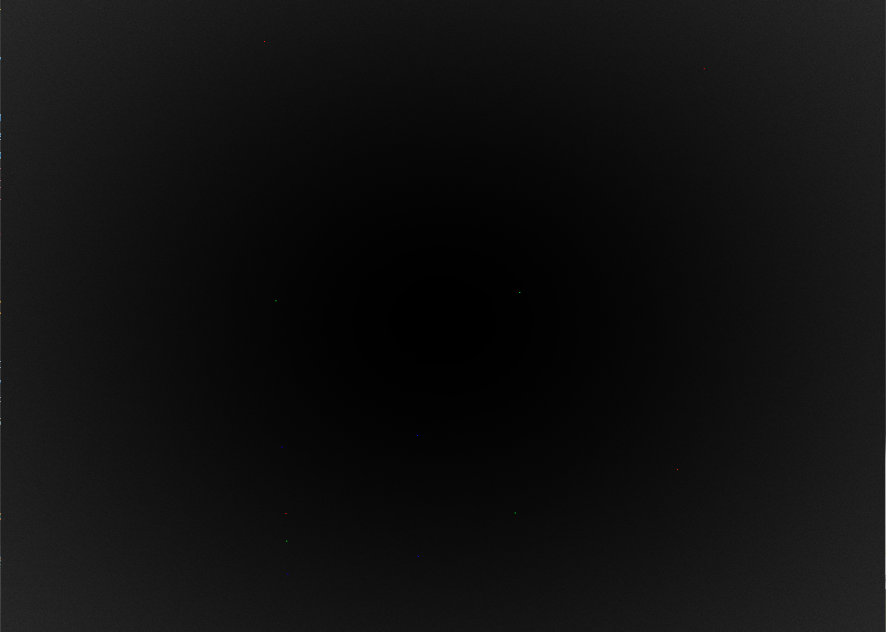
glTFビューア で見たらそれっぽい位置関係で表示できたのでたぶん大丈夫?
ビューアで閲覧した画像
点が小さくて視力検査みたいになっちゃった。